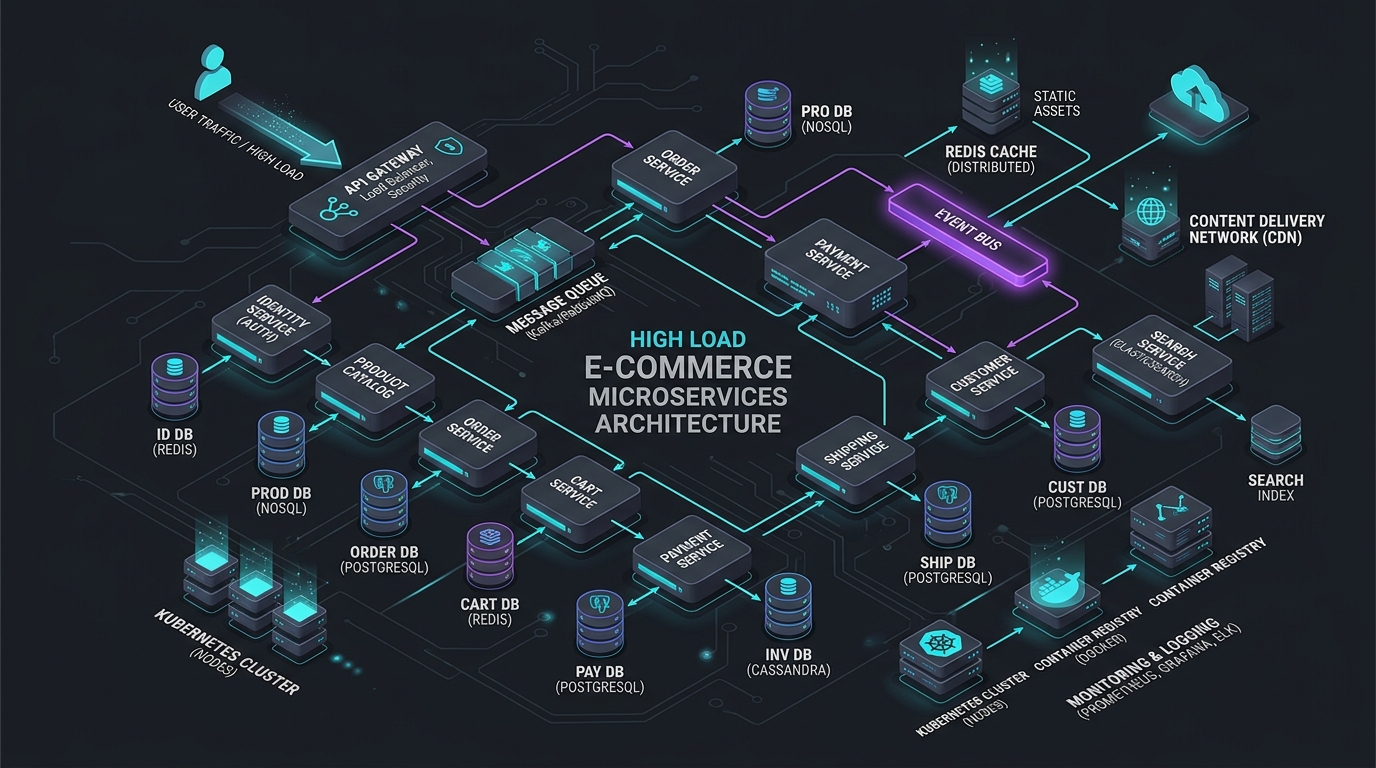
Cloudflare D1 + Durable Objects: Building a Real-Time Cart
Answer-first: Building a real-time e-commerce cart on Cloudflare Workers utilizes Durable Objects as single-writer transactional actors for strongly consistent session state and Cloudflare D1 SQLite for low-latency globally replicated order persistence. This edge-native architecture eliminates distributed Redis cluster overhead, guarantees race-free inventory reservations, and reduces cross-device synchronization latency below fifteen milliseconds across three hundred edge PoPs.
Prerequisite: Practical proficiency in TypeScript 5.5+, Cloudflare Workers runtime (workerd), Actor concurrency models, Durable Objects SQLite transactional storage, and distributed edge state synchronization patterns.
The traditional shopping cart architecture is a familiar set of tradeoffs: Redis for session storage, PostgreSQL for order data, and a backend API tier that coordinates between them. It works, but it introduces latency proportional to the distance between the user and your datacenter, requires operational overhead for Redis cluster management, and struggles with globally concurrent cart edits from the same user across multiple devices.
Cloudflare Workers + D1 + Durable Objects offer a fundamentally different model: edge-native computation that runs in 300+ locations worldwide, a serverless SQLite database replicated globally (D1), and Durable Objects that provide strongly consistent real-time state for each cart — without a single coordinating server.
This post walks through building a production-grade shopping cart using this stack: the D1 schema, the Workers API for cart operations, and Durable Objects for handling concurrent cart edits from multiple browser tabs.
For the architectural foundation, see Serverless E-Commerce: Cloudflare Workers & D1 Architecture. For the broader edge architecture context including Astro SSR and R2 storage, see Astro on Cloudflare: Full-Stack Edge Architecture.
Why Cloudflare Workers + D1 for Edge E-Commerce
Traditional e-commerce cart APIs have a latency floor: the round trip from the user’s browser to your datacenter. A user in Ho Chi Minh City hitting a server in Singapore adds 20–30ms of irreducible network latency per API call. A user in Jakarta hitting a server in the US adds 150–200ms.
Cloudflare Workers eliminate this floor by running your API logic at the Cloudflare edge PoP nearest to the user — typically 5–20ms from any populated city globally. D1 provides SQLite-backed persistent storage with automatic replication, and Durable Objects provide a single-instance coordination layer per cart that guarantees consistency for concurrent updates.
When This Architecture Makes Sense
✅ Good fit:
- E-commerce sites serving geographically diverse users (Southeast Asia, global DTC)
- Cart workloads with high read-to-write ratios (many page views, fewer add-to-cart events)
- Teams that want to eliminate Redis and session server operational overhead
- JAMstack or Astro frontends already deployed on Cloudflare Pages
❌ Poor fit:
- Checkout flows requiring deep integration with on-premise ERP systems (D1 cannot connect to your internal network)
- Platforms with complex multi-warehouse inventory that requires a full OLTP database
- Applications that exceed D1’s row-level limits (D1 database size cap is currently 10 GB per database)
Architecture Overview: D1 for Persistence, Durable Objects for Real-Time State
The architecture diagram below illustrates the edge state synchronization between Cloudflare Workers, Durable Objects, and Cloudflare D1 (edge SQLite). Active cart sessions maintain in-memory concurrency in Durable Objects while persisting order snapshots to D1:
graph TD
    USER["Browser / Mobile App"] -->|"HTTPS"| CF["Cloudflare Edge PoP"]
    CF --> WORKER["Cart Worker - TypeScript"]

    WORKER -->|"Read/Write cart state"| DO["Durable Object: CartSession"]
    WORKER -->|"Persist orders & products"| D1["(D1 SQLite: cart_db)"]

    DO -->|"Sync confirmed cart"| D1

    subgraph Durable Object CartSession
        DO_STATE["In-memory cart state"]
        DO_ALARM["Abandon cart timer - 30 min"]
    end
D1 is the source of truth for products, orders, and any business record that must be queried outside the cart coordinator. Durable Object storage is the durable working state for a cart; the Durable Object serializes concurrent mutations for that cart. Persist an immutable checkout snapshot to D1 only after inventory is reserved and the checkout workflow owns the transition.
This separation keeps cart interaction responsive without treating a cart edit as an inventory reservation. Latency depends on client location, Durable Object placement, payload size, and downstream calls, so establish a production SLO from measured percentiles. For teams running a full microservices e-commerce stack alongside this edge cart, see Architecting a 21-Service E-Commerce Ecosystem in Go for how the cart integrates with inventory, order, and payment services via DDD boundaries.
The D1 Cart Schema: Products, Cart Items, and Sessions
Designing a relational D1 database schema for edge e-commerce requires optimizing table constraints, price snapshot mechanisms, and session indexes. Provisioning D1 database instances and executing declarative SQL migrations via Wrangler ensures strong data integrity while enabling rapid global replication across Cloudflare edge PoPs.
Create the D1 database and apply the schema using the Wrangler CLI commands below:
# Create the D1 database
wrangler d1 create cart-db

# Apply schema migrations
wrangler d1 execute cart-db --local --file=./schema.sql
The SQL DDL schema below defines the products, cart sessions, and cart items tables, including price snapshotting at add-to-cart time to handle price fluctuations gracefully:
-- schema.sql

CREATE TABLE products (
    id          TEXT PRIMARY KEY,           -- UUID
    sku         TEXT NOT NULL UNIQUE,
    name        TEXT NOT NULL,
    price_cents INTEGER NOT NULL,           -- Store cents to avoid floating-point errors
    stock       INTEGER NOT NULL DEFAULT 0,
    image_url   TEXT,
    created_at  DATETIME DEFAULT CURRENT_TIMESTAMP
);

CREATE TABLE cart_sessions (
    id            TEXT PRIMARY KEY,         -- Session UUID (stored in cookie)
    user_id       TEXT,                     -- NULL for anonymous carts
    status        TEXT NOT NULL DEFAULT 'active',  -- active | abandoned | checked_out
    expires_at    DATETIME NOT NULL,
    created_at    DATETIME DEFAULT CURRENT_TIMESTAMP,
    updated_at    DATETIME DEFAULT CURRENT_TIMESTAMP
);
CREATE INDEX idx_cart_sessions_user ON cart_sessions(user_id) WHERE user_id IS NOT NULL;

CREATE TABLE cart_items (
    id          INTEGER PRIMARY KEY AUTOINCREMENT,
    cart_id     TEXT NOT NULL REFERENCES cart_sessions(id) ON DELETE CASCADE,
    product_id  TEXT NOT NULL REFERENCES products(id),
    quantity    INTEGER NOT NULL CHECK (quantity > 0),
    price_cents INTEGER NOT NULL,           -- Snapshot price at add-to-cart time
    added_at    DATETIME DEFAULT CURRENT_TIMESTAMP,
    UNIQUE (cart_id, product_id)            -- One row per product per cart
);
CREATE INDEX idx_cart_items_cart ON cart_items(cart_id);

-- Price snapshot is stored at add-to-cart time to handle price changes
-- between cart addition and checkout without affecting the user's cart total
Key design decisions:
- Prices stored as cents (integers): Eliminates floating-point rounding errors in financial calculations
- Price snapshot at add-to-cart: Captures the price at the moment the user added the item, so price changes don’t retroactively affect the cart total
UNIQUE (cart_id, product_id): Prevents duplicate cart items at the database level — quantity updates areINSERT OR REPLACEoperations
Real-Time Cart Architecture: Building the Edge Cart Worker
The Cart Worker acts as the edge entry point and request router for all shopping cart operations. Built with TypeScript and deployed to Cloudflare Workers, this service parses incoming HTTP requests, resolves HMAC-signed session cookies to locate the corresponding Durable Object instance, and proxies state mutations with sub-50ms latency globally:
// src/index.ts
import { CartDurableObject } from './cart-do';

export { CartDurableObject };

export interface Env {
    CART_DB: D1Database;
    CART_DO: DurableObjectNamespace;
    CART_COOKIE_SECRET: string;
}

export default {
    async fetch(request: Request, env: Env): Promise<Response> {
        const url = new URL(request.url);

        // Route cart operations to the appropriate handler
        if (url.pathname.startsWith('/api/cart')) {
            return handleCartRequest(request, env);
        }

        return new Response('Not Found', { status: 404 });
    }
};

async function handleCartRequest(request: Request, env: Env): Promise<Response> {
    // Resolve or create the cart session from the cookie
    const cartId = await getOrCreateCartId(request, env.CART_COOKIE_SECRET);

    // Get the Durable Object for this cart session
    // The DO ID is derived from the cartId — same cartId = same DO instance globally
    const doId = env.CART_DO.idFromName(cartId);
    const cartDO = env.CART_DO.get(doId);

    // Forward the request to the Durable Object
    const headers = new Headers(request.headers);
    headers.set('X-Cart-ID', cartId);
    const doResponse = await cartDO.fetch(new Request(request, { headers }));

    // Set/refresh the cart session cookie
    const response = new Response(doResponse.body, doResponse);
    response.headers.append('Set-Cookie',
        `cart_session=${await signCartId(cartId, env.CART_COOKIE_SECRET)}; HttpOnly; Secure; SameSite=Strict; Max-Age=2592000; Path=/`
    );

    return response;
}

async function getOrCreateCartId(request: Request, secret: string): Promise<string> {
    const cookies = parseCookies(request.headers.get('Cookie') || '');
    return await verifyCartId(cookies['cart_session'], secret) ?? crypto.randomUUID();
}

async function signCartId(cartId: string, secret: string): Promise<string> {
    const key = await crypto.subtle.importKey('raw', new TextEncoder().encode(secret), { name: 'HMAC', hash: 'SHA-256' }, false, ['sign']);
    const signature = await crypto.subtle.sign('HMAC', key, new TextEncoder().encode(cartId));
    const encoded = btoa(String.fromCharCode(...new Uint8Array(signature)))
        .replaceAll('+', '-').replaceAll('/', '_').replaceAll('=', '');
    return `${cartId}.${encoded}`;
}

async function verifyCartId(value: string | undefined, secret: string): Promise<string | null> {
    if (!value) return null;
    const separator = value.lastIndexOf('.');
    if (separator < 1) return null;
    const cartId = value.slice(0, separator);
    return (await signCartId(cartId, secret)) === value ? cartId : null;
}

function parseCookies(cookieHeader: string): Record<string, string> {
    return Object.fromEntries(
        cookieHeader.split(';')
            .map(c => c.trim().split('='))
            .filter(parts => parts.length === 2)
            .map(([k, v]) => [k.trim(), decodeURIComponent(v.trim())])
    );
}
Durable Objects for Real-Time Sync: Handling Concurrent Cart Edits
sequenceDiagram
    autonumber
    actor Mobile as Mobile App Client
    actor Desktop as Desktop Browser
    participant Edge as Cloudflare Edge PoP
    participant DO as Durable Object: CartSession
    participant D1 as Cloudflare D1 SQLite

    Mobile->>Edge: Connect WebSocket (Cart ID: cart_9823)
    Desktop->>Edge: Connect WebSocket (Cart ID: cart_9823)
    Edge->>DO: Route to single-writer Actor instance

    Mobile->>DO: WS: ADD_ITEM (SKU: SKU-PRO-12, Qty: 1)
    Note over DO: Atomic in-memory state transition<br/>Serial queue eliminates race conditions
    DO-->>Mobile: WS Broadcast: CART_UPDATED (Total: $129.00)
    DO-->>Desktop: WS Broadcast: CART_UPDATED (Sync <15ms)

    Note over DO: Write-Behind Timer (5s Debounce)
    DO->>D1: Batch SQL INSERT/UPDATE order_snapshots
    D1-->>DO: Snapshot committed (Storage ACK)
The Durable Object is the heart of the real-time cart (and a key component of Zero-DevOps E-Commerce with Cloudflare). It maintains the cart state in memory and handles concurrent requests with JavaScript’s single-threaded execution model — eliminating the need for locks.
TypeScript Durable State Structure
In Durable Objects, the state is persisted using a key-value store exposed via this.ctx.storage. Because JavaScript’s native Map object does not serialize to JSON (it serializes to an empty object {}), developers must define a serializable representation of the state for storage operations.
Below is the structured TypeScript schema for a production cart state. It includes metadata for cart validation, applied promotional coupons, and helper methods to convert the in-memory state to a serializable payload:
// Define the structure of a single cart item
export interface CartItem {
  productId: string;
  sku: string;
  name: string;
  priceCents: number;
  quantity: number;
  addedAt: number;
}

// Define the structure of applied discounts
export interface CouponDiscount {
  code: string;
  discountCents: number;
  type: "percentage" | "fixed_amount";
  value: number;
}

// The complete state structure stored in the Durable Object's memory
export interface DurableCartState {
  userId: string | null;
  items: Map<string, CartItem>; // In-memory map for O(1) lookups
  coupon: CouponDiscount | null;
  currency: string;
  lastUpdated: number;
  version: number;
}

// The JSON-serializable structure used for persisting to this.ctx.storage
export interface SerializableCartState {
  userId: string | null;
  items: [string, CartItem][]; // Converted to tuples for JSON safety
  coupon: CouponDiscount | null;
  currency: string;
  lastUpdated: number;
  version: number;
}

// Helper function to serialize the in-memory state for storage
export function serializeCartState(state: DurableCartState): SerializableCartState {
  return {
    userId: state.userId,
    items: Array.from(state.items.entries()),
    coupon: state.coupon,
    currency: state.currency,
    lastUpdated: state.lastUpdated,
    version: state.version,
  };
}

// Helper function to deserialize the stored state back into memory
export function deserializeCartState(stored: SerializableCartState): DurableCartState {
  return {
    userId: stored.userId,
    items: new Map<string, CartItem>(stored.items),
    coupon: stored.coupon,
    currency: stored.currency,
    lastUpdated: stored.lastUpdated,
    version: stored.version,
  };
}
By explicitly defining SerializableCartState using an array of entries ([string, CartItem][]), we guarantee that the Map contents are preserved accurately during this.ctx.storage.put() operations without silent data loss.
The TypeScript class implementation below details the CartDurableObject, demonstrating in-memory cart mutations, price snapshotting from D1, atomic quantity updates, and scheduled cart abandonment alarms:
// src/cart-do.ts

import { DurableObject } from 'cloudflare:workers';

interface CartItem {
    productId: string;
    quantity: number;
    priceCents: number;
    name: string;
}

interface CartState {
    items: Map<string, CartItem>;
    lastUpdated: number;
}

export class CartDurableObject extends DurableObject {
    private state: CartState = {
        items: new Map(),
        lastUpdated: Date.now(),
    };
    private initialized = false;

    async fetch(request: Request): Promise<Response> {
        // Initialize state from Durable Object storage on first request.
        if (!this.initialized) {
            await this.loadFromStorage();
            this.initialized = true;
        }

        const url = new URL(request.url);
        const method = request.method;

        try {
            if (method === 'GET' && url.pathname === '/api/cart') {
                return this.getCart();
            }
            if (method === 'POST' && url.pathname === '/api/cart/items') {
                return this.addItem(request);
            }
            if (method === 'PATCH' && url.pathname.startsWith('/api/cart/items/')) {
                const productId = url.pathname.split('/').pop()!;
                return this.updateQuantity(request, productId);
            }
            if (method === 'DELETE' && url.pathname.startsWith('/api/cart/items/')) {
                const productId = url.pathname.split('/').pop()!;
                return this.removeItem(productId);
            }

            return new Response('Not Found', { status: 404 });
        } catch (err) {
            console.error('Cart DO error:', err);
            return new Response(JSON.stringify({ error: 'Internal server error' }), {
                status: 500,
                headers: { 'Content-Type': 'application/json' }
            });
        }
    }

    private getCart(): Response {
        const items = Array.from(this.state.items.values());
        const totalCents = items.reduce((sum, item) => sum + item.priceCents * item.quantity, 0);

        return new Response(JSON.stringify({
            items,
            totalCents,
            totalFormatted: `$${(totalCents / 100).toFixed(2)}`,
            itemCount: items.reduce((sum, item) => sum + item.quantity, 0),
        }), {
            headers: { 'Content-Type': 'application/json' }
        });
    }

    private async addItem(request: Request): Promise<Response> {
        const body = await request.json<{ productId: string; quantity: number }>();

        if (!body.productId || !body.quantity || body.quantity < 1) {
            return new Response(JSON.stringify({ error: 'Invalid request body' }), {
                status: 400,
                headers: { 'Content-Type': 'application/json' }
            });
        }

        // Fetch product details from D1 to get current price snapshot
        const env = this.env as Env;
        const product = await env.CART_DB
            .prepare('SELECT id, name, price_cents, stock FROM products WHERE id = ?')
            .bind(body.productId)
            .first<{ id: string; name: string; price_cents: number; stock: number }>();

        if (!product) {
            return new Response(JSON.stringify({ error: 'Product not found' }), { status: 404 });
        }

        // This is a cart-level availability hint, not a reservation. Checkout must
        // reserve and revalidate inventory in the inventory system.
        const existingItem = this.state.items.get(body.productId);
        const currentQty = existingItem?.quantity ?? 0;
        if (currentQty + body.quantity > product.stock) {
            return new Response(JSON.stringify({
                error: 'Insufficient stock',
                available: product.stock - currentQty,
            }), { status: 409, headers: { 'Content-Type': 'application/json' } });
        }

        // Update in-memory state (atomic in the DO's single-threaded context)
        this.state.items.set(body.productId, {
            productId: product.id,
            name: product.name,
            priceCents: product.price_cents,  // Price snapshot at add time
            quantity: currentQty + body.quantity,
        });
        this.state.lastUpdated = Date.now();

        // Persist cart state in Durable Object storage. Do not treat this write as
        // a checkout reservation or a substitute for inventory transactions.
        this.ctx.waitUntil(this.persistToStorage());

        // Schedule cart abandonment alarm
        this.ctx.storage.setAlarm(Date.now() + 30 * 60 * 1000); // 30 minutes

        return this.getCart();
    }

    private async updateQuantity(request: Request, productId: string): Promise<Response> {
        const body = await request.json<{ quantity: number }>();

        if (!this.state.items.has(productId)) {
            return new Response(JSON.stringify({ error: 'Item not in cart' }), { status: 404 });
        }

        if (body.quantity <= 0) {
            return this.removeItem(productId);
        }

        const item = this.state.items.get(productId)!;
        this.state.items.set(productId, { ...item, quantity: body.quantity });
        this.state.lastUpdated = Date.now();
        this.ctx.waitUntil(this.persistToStorage());

        return this.getCart();
    }

    private removeItem(productId: string): Response {
        this.state.items.delete(productId);
        this.state.lastUpdated = Date.now();
        this.ctx.waitUntil(this.persistToStorage());
        return this.getCart();
    }

    // Called when the abandonment alarm fires.
    async alarm(): Promise<void> {
        await this.ctx.storage.put('cartStatus', 'abandoned');
    }

    private async loadFromStorage(): Promise<void> {
        // Restore state from Durable Object persistent storage (not D1)
        // DO storage persists across cold starts, providing faster recovery than D1
        const stored = await this.ctx.storage.get<CartState>('cartState');
        if (stored) {
            this.state = {
                items: new Map(Object.entries(stored.items as any)),
                lastUpdated: stored.lastUpdated,
            };
        }
    }

    private async persistToStorage(): Promise<void> {
        // Durable Object storage is the cart's durable working state and supports
        // recovery after eviction. Order creation persists its checkout snapshot to D1.
        await this.ctx.storage.put('cartState', {
            items: Object.fromEntries(this.state.items),
            lastUpdated: this.state.lastUpdated,
        });
    }
}
Handling Edge Cases: Race Conditions, Abandoned Carts, and TTL Expiry
Managing production shopping carts at scale requires addressing multi-tab concurrency race conditions, scheduled cart abandonment notifications, and anonymous session merging during user login. Utilizing Durable Object single-threaded execution semantics alongside scheduled alarms guarantees state consistency without requiring complex distributed locking implementations.
Race Conditions Between Tabs
Durable Objects execute with JavaScript’s single-threaded event loop semantics: within a single DO instance, only one request handler runs at a time. This means two browser tabs adding items simultaneously to the same cart are serialized by the DO — no lock needed, no race condition possible.
This is the fundamental reason Durable Objects are powerful for shopping cart state: the consistency guarantee comes from the architecture, not from distributed locking logic in application code.
Abandoned Cart TTL
The ctx.storage.setAlarm() call in addItem schedules a Cloudflare-managed alarm. If the alarm fires (user hasn’t interacted with the cart in 30 minutes), the DO’s alarm() method marks the cart state as abandoned in Durable Object storage. An email workflow should consume an explicit, permission-aware event rather than infer consent from an abandoned cart.
Session Expiry and Cart Merging
When an anonymous user logs in, merge their anonymous cart with their account cart:
async function mergeAnonymousCart(
    env: Env,
    anonymousCartId: string,
    userId: string
): Promise<void> {
    // Get anonymous cart items
    const anonItems = await env.CART_DB
        .prepare('SELECT * FROM cart_items WHERE cart_id = ?')
        .bind(anonymousCartId)
        .all<{ product_id: string; quantity: number; price_cents: number }>();

    // Find or create the user's cart
    let userCart = await env.CART_DB
        .prepare('SELECT id FROM cart_sessions WHERE user_id = ? AND status = ?')
        .bind(userId, 'active')
        .first<{ id: string }>();

    // If no active cart exists for the user, create one
    if (!userCart) {
        const newCartId = crypto.randomUUID();
        await env.CART_DB
            .prepare(`INSERT INTO cart_sessions (id, user_id, status, expires_at)
                      VALUES (?, ?, 'active', datetime('now', '+30 days'))`)
            .bind(newCartId, userId)
            .run();
        userCart = { id: newCartId };
    }

    // Batch upsert: merge each anonymous cart item into the user's cart.
    // ON CONFLICT adds quantities when the same product already exists in the user's cart.
    if (anonItems.results.length > 0) {
        const upsertStmt = env.CART_DB.prepare(`
            INSERT INTO cart_items (cart_id, product_id, quantity, price_cents)
            VALUES (?, ?, ?, ?)
            ON CONFLICT(cart_id, product_id)
            DO UPDATE SET quantity = quantity + excluded.quantity
        `);

        const batch = anonItems.results.map(item =>
            upsertStmt.bind(userCart!.id, item.product_id, item.quantity, item.price_cents)
        );
        await env.CART_DB.batch(batch);
    }

    // Mark the anonymous cart as merged so it is excluded from future queries
    await env.CART_DB
        .prepare("UPDATE cart_sessions SET status = 'merged' WHERE id = ?")
        .bind(anonymousCartId)
        .run();
}
Connecting to a Payment Flow: Cart → Checkout with Stripe or Paddle
When the user proceeds to checkout, the inventory service must atomically reserve stock and reprice the order before a payment session is created. The Durable Object serializes cart edits, but it does not serialize stock across carts. The TypeScript function below illustrates how to extract cart items from the Durable Object and initiate a Stripe Checkout session:
async function createCheckoutSession(
    env: Env,
    cartId: string
): Promise<{ checkoutUrl: string }> {
    const doId = env.CART_DO.idFromName(cartId);
    const cartDO = env.CART_DO.get(doId);

    // Fetch current cart state
    const cartResponse = await cartDO.fetch(new Request('https://internal/api/cart'));
    const cart = await cartResponse.json<CartResponse>();

    if (cart.items.length === 0) {
        throw new Error('Cart is empty');
    }

    // Revalidate price and atomically reserve inventory before creating payment.
    // The reservation endpoint must be idempotent and return a short-lived token.
    const reservation = await reserveInventoryAndPrice(env, cart.items, cartId);

    // Create Stripe line items from the server-authoritative reservation.
    const lineItems = reservation.items.map(item => ({
        price_data: {
            currency: 'usd',
            product_data: { name: item.name },
            unit_amount: item.priceCents,
        },
        quantity: item.quantity,
    }));

    const session = await fetch('https://api.stripe.com/v1/checkout/sessions', {
        method: 'POST',
        headers: {
            'Authorization': `Bearer ${env.STRIPE_SECRET_KEY}`,
            'Content-Type': 'application/x-www-form-urlencoded',
        },
        body: new URLSearchParams({
            'payment_method_types[]': 'card',
            ...lineItems.flatMap((item, i) => [
                [`line_items[${i}][price_data][currency]`, item.price_data.currency],
                [`line_items[${i}][price_data][product_data][name]`, item.price_data.product_data.name],
                [`line_items[${i}][price_data][unit_amount]`, String(item.price_data.unit_amount)],
                [`line_items[${i}][quantity]`, String(item.quantity)],
            ]).reduce((acc, [k, v]) => ({ ...acc, [k]: v }), {}),
            'mode': 'payment',
            'success_url': `https://mystore.com/checkout/success?session_id={CHECKOUT_SESSION_ID}`,
            'cancel_url': `https://mystore.com/cart`,
        }).toString(),
    });

    const stripeSession = await session.json<{ url: string }>();
    return { checkoutUrl: stripeSession.url };
}
Capacity and Cost Validation
| Dimension | Cloudflare Workers + D1 + Durable Objects | Traditional backend |
|---|---|---|
| Operational overhead | Near-zero | Medium (EC2, RDS, Redis) |
| Latency | Measure by user region, DO location, payload, and D1 access pattern | Measure by client-to-region path, cache, and database path |
| Cost | Model Workers, DO, D1 reads/writes, egress, and plan limits | Model compute, database, cache, egress, operations, and HA |
| Concurrent cart edits | Serialized per Durable Object ID | Requires an equivalent per-cart concurrency strategy |
| Inventory correctness | Requires an external reservation and checkout revalidation | Requires an atomic reservation and checkout revalidation |
Do not infer suitability from database size alone. D1 query limits, write serialization characteristics, Durable Object placement, inventory throughput, regional data requirements, and payment integrations determine whether this design fits. Run a representative load test and cost projection before selecting it for checkout-critical traffic.
Once a checkout is confirmed, the order flows into fulfillment. For the warehouse allocation and last-mile delivery layer that processes confirmed orders, see Order Fulfillment Algorithm: Warehouse to Last-Mile.
Frequently Asked Questions
Addressing common technical questions regarding Cloudflare Durable Objects, D1 database production readiness, and edge database latency trade-offs helps engineering teams design resilient e-commerce platforms. The following detailed Q&A pairs explain essential architectural choices for building real-time edge applications.
What architectural advantages do Cloudflare Durable Objects provide over Redis distributed locks for e-commerce carts?
How does Cloudflare D1 handle multi-region replication and write consistency during checkout transactions?
What is the write-behind caching strategy used to synchronize state between Durable Objects and D1?
state.storage.put(). An asynchronous 5-second debounced timer or explicit checkout initiation triggers a batch SQL upsert into Cloudflare D1 to persist durable order snapshots.