Series Orientation: This article is Part 1 of the AI Code Review & Vibe Coding series, tailored for non-technical builders navigating the initial phase of vibe coding. For the overall roadmap, see the Series Executive Summary.

In July 2025, the CEO of a Series A startup proudly demoed a working internal operations system — 140,000 lines of code — built entirely with Claude prompts over four weeks. No engineers on the founding team. No technical co-founder. Just a business founder, a clear problem, and a willingness to “give in to the vibes.”

The system was real. It ran in production. It served hundreds of users.

Three months later, a different kind of headline: a viral AI-powered social network called Moltbook lost 1.5 million API tokens from OpenAI, Anthropic, AWS, and GitHub — along with 35,000 user emails and private messages. The breach happened not through a sophisticated attack, but because a single security configuration — Supabase Row Level Security — had been left disabled by the AI that generated the database layer.

Both stories are true. Both are instructive. And taken together, they define the exact territory that every CEO, PM, and BA building with AI needs to understand.


What Vibe Coding Actually Is (And Is Not)

Andrej Karpathy, who coined the term, described the experience precisely: “I just see stuff, say stuff, run stuff, and copy-paste stuff.” The process is deliberately improvisational — you describe what you want in plain English, the AI generates an implementation, you observe the result, and you iterate.

This is meaningfully different from two things people often conflate it with:

No-Code / Low-CodeVibe Coding
Input methodDrag-and-drop visual componentsNatural language prompts
FlexibilityConstrained to platform templatesOpen-ended, highly customizable
GovernanceBuilt-in (within platform limits)None by default — user responsibility
OutputPlatform-managed, vendor-lockedActual code (HTML, Python, SQL) you can export
Best forRepeatable business workflowsCustom tools, prototypes, unique use cases

Vibe coding produces real code. That is its power — and its risk. You can deploy it anywhere. But you also own whatever security posture it ships with.


Who Is Actually Using It — And What They Are Building

The assumption that vibe coding is a developer productivity tool is outdated. As of 2025, 63% of users of AI coding tools are non-technical. The actual user distribution looks like this:

  • Founders / CEOs building internal operational tools, automating back-office processes, or validating product ideas before committing engineering resources
  • Product Managers creating stakeholder demos, internal dashboards, or Jira ticket automation from codebases
  • Business Analysts replacing complex spreadsheets with web applications, building data pipelines, or automating reporting workflows
  • Consultants building client-specific tools that would otherwise require expensive custom development

The Codenotary CEO case is not anomalous. It is the pattern. A Managing Director-level consultant built a cash flow and P&L business plan simulator that replaced a sprawling Excel workbook — and deployed it as a web application for client use. A PM at a growth-stage startup used Lovable to build an interactive roadmap visualization for a board meeting in a single afternoon.

These use cases are legitimate, productive, and valuable. The question is not whether to use vibe coding. It is when to stop.


The Tool Stack: Choosing the Right Tool for Your Stage

Not all vibe coding tools are created equal. The right choice depends on your technical confidence, the complexity of the output, and whether you are exploring or deploying.

For Non-Technical Builders Starting From Zero

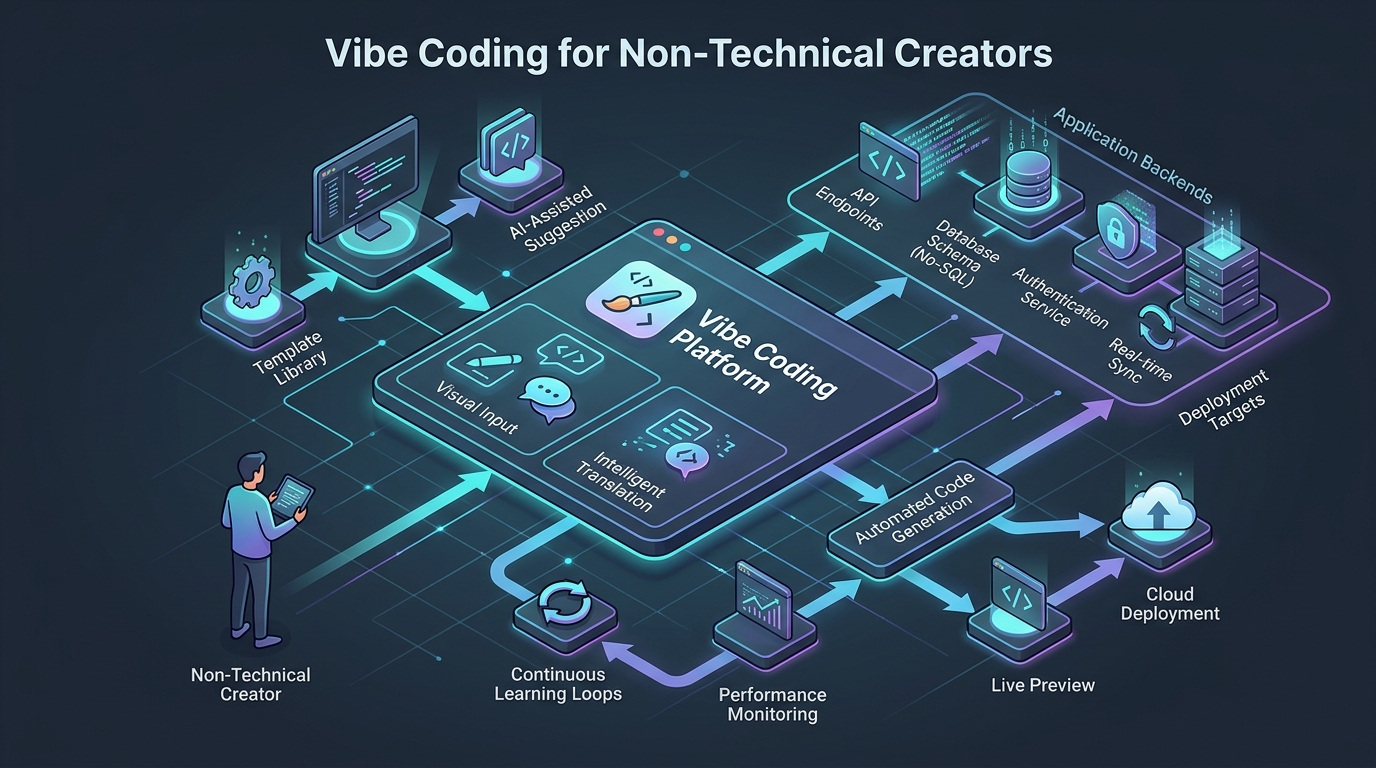
Lovable is the entry point. No local setup, no command line, no configuration files. You describe what you want, Lovable renders a visual result immediately, and you can share a live URL within minutes. It is intentionally designed to hide implementation complexity — which is ideal for exploring an idea, but means you should treat everything it outputs as a prototype until reviewed by an engineer.

Best for: Stakeholder demos, internal tools with low security requirements, rapid concept validation.

Bolt.new is similarly accessible, browser-based, and well-suited for web application prototyping without any local environment setup.

Replit adds a collaborative, cloud-based IDE layer. Slightly higher learning curve than Lovable, but gives you more visibility into the actual code being generated — which is valuable if you want to start developing intuition for what the AI is doing.

For Builders With Some Technical Exposure

Cursor (a VS Code fork) is where professional engineers work. It is not the right starting point for a non-technical CEO, but it becomes the right tool when you have an engineer collaborating with you, or when you are ready to move a prototype toward production. The quality of AI-generated code in Cursor is higher, but the environment requires installation, configuration, and basic familiarity with version control.

The recommended hybrid path: Lovable (explore and validate) → GitHub Sync → Cursor (refine with engineering support) → Engineer review (production).

For Workflow Automation (Not App Building)

Make (formerly Integromat), n8n, and Zapier serve a different use case: connecting existing tools rather than building new interfaces. If your goal is automating a process between Notion, Slack, Airtable, and your CRM, these are more appropriate than a full-stack vibe coding environment.

Retool, Appsmith, and Airtable fall into a middle ground — structured internal tool builders that give non-technical users significant power without the open-ended risks of generating arbitrary code.


How to Prompt Like a Product Manager

The quality of vibe-coded output correlates directly with the quality of the input. Non-technical users who approach AI tools with vague requests get vague results. The mental model shift is this: you are not a user of software, you are a product manager specifying requirements for a junior engineer who is very fast and very literal.

A reliable prompt structure:

Role: You are building [X] for [audience].
Context: The current situation is [background].
Instruction: Build [specific feature/screen/function].
Specification: It should [requirements list].
Example: Here is a reference for the behavior I expect: [example].

Practical techniques that produce materially better results:

  • “Think step-by-step before writing any code.” Forces the AI to reason about the architecture before implementing, catching obvious mistakes early.
  • “Ask me any clarifying questions before you begin.” Prevents the AI from making assumptions on consequential decisions — database structure, user authentication model, data retention.
  • “Here is a similar system for reference: [description].” Anchors the AI’s architectural decisions to a known pattern.
  • Never give the AI sensitive data — customer PII, internal credentials, financial records — unless you are operating within a corporate-approved, private deployment.

The bigger mindset shift: think of your prompts as a living document. Store them alongside your project. When the AI makes a mistake, document the correction in the same place. This is rudimentary context engineering — the same discipline Part 2 of this series covers for engineering teams managing large codebases.


The Production Wall: Five Signals That It Is Time to Stop

Vibe coding accelerates the journey from idea to working demo. It does not replace engineering judgment for the journey from demo to production. The Production Wall is the boundary where one path ends and the other must begin.

Signal 1: You are spending more time fixing than building. When the majority of your sessions are spent trying to reverse a previous change, or when the AI’s fixes introduce new problems faster than it resolves old ones, you have exceeded the AI’s reliable operating range for your specific codebase. This is often the first and clearest signal.

Signal 2: The system fails under real load. Your demo works perfectly with you and two colleagues. The moment ten users open it simultaneously, it slows down, throws errors, or returns incorrect data. AI-generated code rarely optimizes for concurrency, connection pooling, or database query efficiency. Concurrency is an engineering problem.

Signal 3: The system handles sensitive data or payments. This is a non-negotiable boundary. If your application stores user health information, processes payments, handles personal identifiable information subject to GDPR or similar regulations, or manages access to financial accounts — it requires professional security review before any user touches it. No exceptions.

Signal 4: Integrations exceed what the AI can reliably resolve. OAuth flows, webhook verification, third-party API rate limiting, retry logic, and error handling for external service failures are each individually manageable. When they layer on top of each other, AI-generated solutions become brittle and increasingly difficult to debug without understanding the underlying protocols.

Signal 5: You have paying customers and the cost of failure exceeds the benefit of speed. The risk calculus changes fundamentally when real money and real user trust are at stake. A production failure that costs you a customer relationship or triggers a data breach is not recoverable with a new prompt.


The Moltbook Breach: What the Most Instructive Failure of 2026 Teaches Us

In February 2026, Moltbook — a vibe-coded AI agent social network that went viral — suffered a catastrophic breach three days after launch. The damage: 1.5 million API tokens from OpenAI, Anthropic, AWS, and GitHub, plus 35,000 user email addresses and direct messages.

The root cause was not a sophisticated supply chain attack. It was a single configuration toggle: Supabase Row Level Security (RLS) was disabled.

When Supabase generates a database schema, RLS is disabled by default for development convenience. The AI that built Moltbook’s database layer left it that way. Without RLS, any authenticated user could query any other user’s data directly — a total authorization failure. The attacker did not need to exploit anything. They simply made the query.

What this reveals about the Trust Paradox:

Research from 2025 shows non-technical users express higher confidence in the security of AI-generated code than professional developers. Developer trust in AI code accuracy dropped from 40% to 29% between 2024 and 2025 — precisely because engineers developed a baseline for evaluating AI output and found it wanting.

Non-technical users have no such baseline. The code compiles. The app runs. The demo works. What they cannot see is the disabled security configuration, the hardcoded API key in the frontend JavaScript, the missing rate limiting that allows credential stuffing, and the absent input validation that enables SQL injection. This is the comprehension gap — and it produces blind trust.

The data confirms the pattern is not isolated to Moltbook. A support ticketing tool built by vibe coding in 2025 exposed 3,000 tickets and credit card numbers within one week of launch because authentication was never implemented. 40–62% of AI-generated applications contain security vulnerabilities according to security research on AI-building platforms. CVE-2025-48757 documented that more than 10% of applications on AI-building platforms leak user data because of disabled Supabase RLS alone.

The lesson is not “never vibe code.” It is: treat every AI-generated security configuration as a known-incorrect default until a qualified engineer has confirmed otherwise.


The Handoff: How to Pass a Vibe-Coded Project to an Engineer

When you decide to cross the Production Wall, the quality of your handoff determines how much time (and money) the rescue takes. Engineers receiving vibe-coded projects without context spend the first significant portion of their engagement simply understanding what the code is attempting to do.

A useful handoff package includes:

  1. A Product Requirements Document (PRD) with user stories and explicit edge cases — even one page is significantly better than nothing
  2. An acknowledgment of AI origin — tell the engineer this was AI-generated. Do not let them discover it mid-review. It changes the review strategy.
  3. A list of documented assumptions — what did you tell the AI about the user model, data structure, or external integrations?
  4. Your tool and technology preferences — if you have already chosen Supabase, Vercel, or a specific authentication provider, say so
  5. The access credentials and environment details — database connection strings (securely transmitted), API keys, hosting configuration

A rescue engagement for a well-documented vibe-coded project looks like: a 2–4 week discovery audit followed by a scoped refactor or targeted rebuild. Without documentation, that discovery phase doubles.


Frequently Asked Questions

Is vibe coding safe for applications with user data? Not by default. AI-generated code will often miss authentication requirements, misconfigure database security, and skip input validation. Any application that stores user data needs a security review before production launch. This applies even to simple internal tools if they are accessible over the internet.

Can a CEO or PM deploy a vibe-coded app to production? Technically, yes. Whether they should depends on the answer to: what is the worst-case outcome if this system is compromised or fails? For a password-protected internal dashboard used only by two people, the risk may be acceptable. For any customer-facing product or any application handling regulated data, the answer is no without engineering review.

What is the difference between vibe coding and no-code? No-code tools like Webflow or Airtable operate within guardrails — what you can build is constrained by the platform, but the platform also provides baseline security and governance. Vibe coding produces arbitrary code with no built-in guardrails. The flexibility is much greater, and so is the responsibility.

When should I hire an engineer instead of continuing to vibe code? When any one of the five Production Wall signals is present. The earlier you bring in an engineer after the first signal, the cheaper the engagement. Engineers who arrive after all five signals have been triggered are doing significantly more expensive work.

Does vibe-coded code have copyright protection? Under current law in most jurisdictions, code generated entirely by AI without substantial human creative input is not copyrightable. If you intend to protect your software as intellectual property, document the creative decisions you made — what you directed, what you chose, what you modified — and engage an engineer to substantially rework the AI output into a defensible derivative work.


Conclusion

Vibe coding is not a toy. It is not a replacement for engineering. It is a genuinely new capability that collapses the time between idea and working prototype to a degree that was not possible two years ago.

The CEOs, PMs, and BAs who use it most effectively treat it exactly like that: a tool for exploration, validation, and acceleration up to a clearly understood boundary. They know what the tool cannot do. They recognize The Production Wall before they hit it. And when they hand off to engineers, they do so with enough context to make the collaboration efficient.

The engineers who benefit most from understanding vibe coding are the ones who receive these handoffs and know immediately what to look for. The next parts of this series cover exactly that: how to index and understand an AI-generated codebase, how to classify the bugs it almost certainly contains, and how to build a review pipeline that catches the Moltbook failures before launch — not three days after.


Next: Part 2 — Context Engineering: AGENTS.md, Cursor Rules, and RAG for Real Codebases